

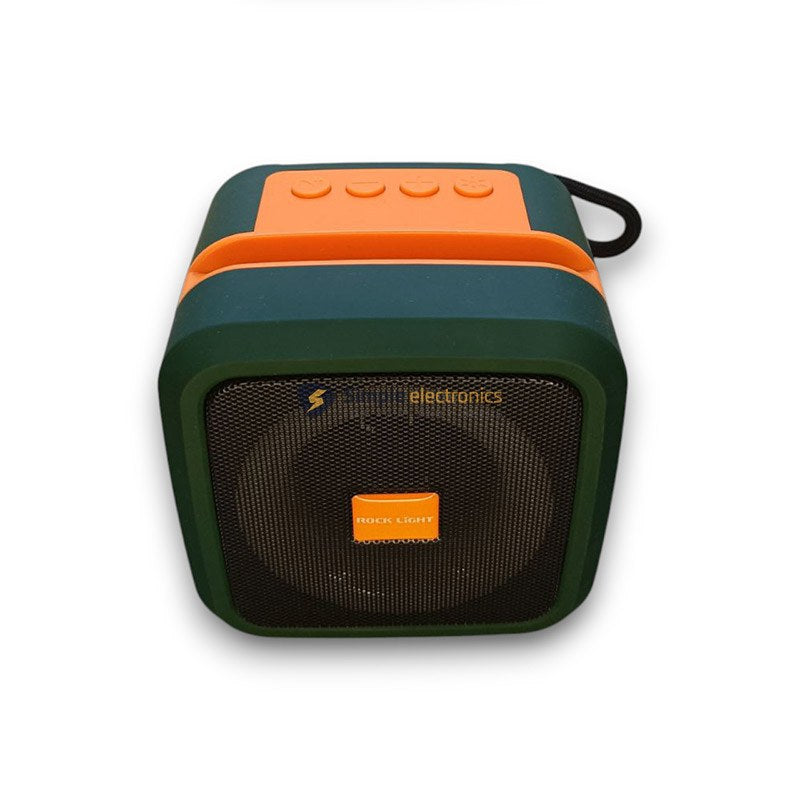
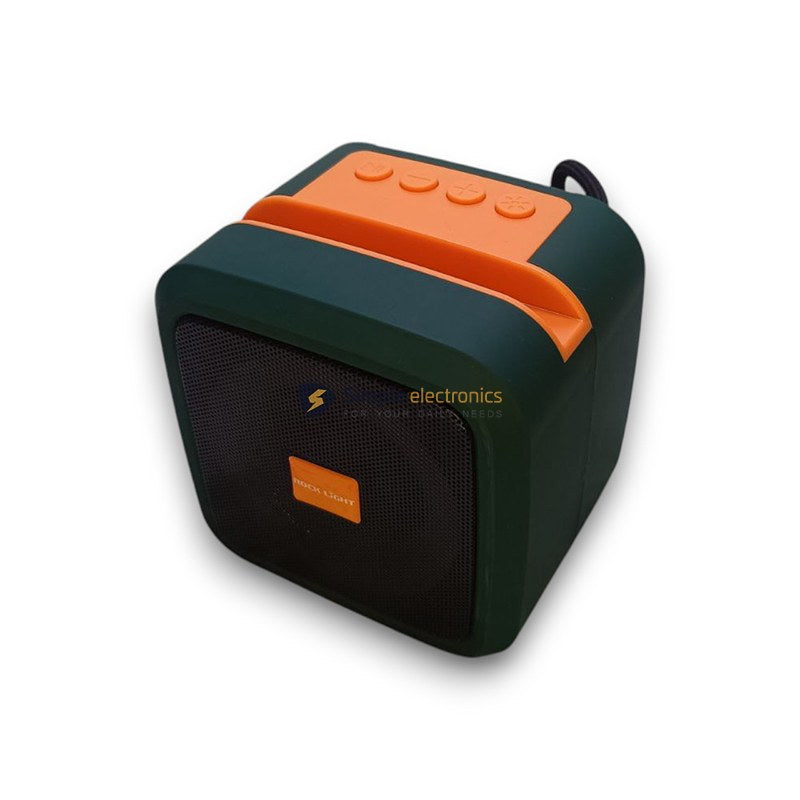
Rock Light S137 Bluetooth Speaker
Sale price
Rs. 574.00
Regular price
Rs. 999.00
Skip to product information


Save 42%
Rock Light S137 Bluetooth Speaker
Sale price
Rs. 574.00
Regular price
Rs. 999.00
- Premium quality
- Genuine products
- Fast delivery in Hyderabad
Hurry up, only 10 items left in stock.
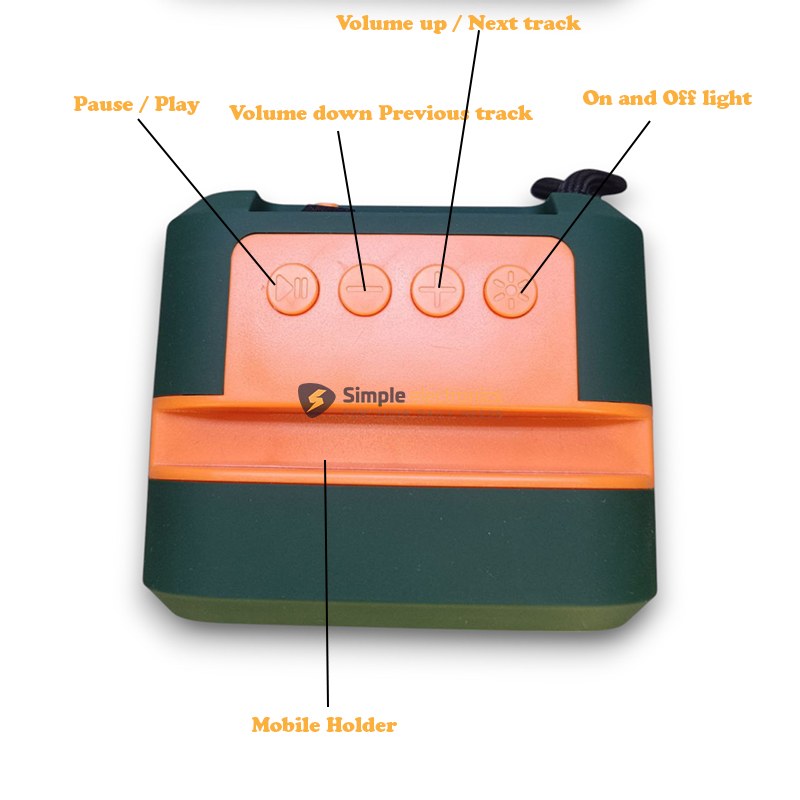
User ManualPanel Functions "-" (Minus Button) Press and hold: Decrease volume Press: Previous song "+" (Plus Button) Press and hold: Increase volume Press: Next song Light Button Press: Change light...
Pickup currently not available
- Delivered across Hyderabad by the seller
- Free delivery on orders of Rs. 499 or more (after discounts)
- Secure online payment: UPI, cards, netbanking
- Damaged or wrong item? Report within 24 hours for a replacement or refund
First order offer
Get 10% off with code WELCOME10 plus free delivery with FREEDEL on your first order. Enter both codes at checkout. Shop now

Specifications
User ManualPanel Functions "-" (Minus Button) Press and hold: Decrease volume Press: Previous song "+" (Plus Button) Press and hold: Increase volume Press: Next song Light Button Press: Change light mode Press and hold: Turn light ON/OFF Play/Pause Button Music Mode: Press: Pause/Play music Press...
| Brand | Rock Light |
|---|---|
| Category | Bluetooth Speakers |
| SKU | SE206 |
| Availability | In stock |
Product Details
- User Manual
Panel Functions
- "-" (Minus Button)
- Press and hold: Decrease volume
- Press: Previous song
- "+" (Plus Button)
- Press and hold: Increase volume
- Press: Next song
- Light Button
- Press: Change light mode
- Press and hold: Turn light ON/OFF
- Play/Pause Button
- Music Mode:
- Press: Pause/Play music
- Press and hold: Switch function modes
- Double press: TWS pairing (in Mode Only)
- Phone Calls:
- Press: Answer/End call
- Press and hold: Decline incoming call
- Double press: Call back (in Mode Only)
External Jack Functions
- Power Switch: ON/OFF
- DC 5V: External DC 5V power supply
- USB/TF: Supports USB Disk / TF Card playback
Charging Instructions
- Plug in the charging cable – the charging indicator lights up.
- Turn OFF the speaker while charging.
- Charging time: Up to 4 hours for a full charge.
- Recommended charging current: 500mA (to protect the battery).
- If the built-in battery is damaged, keep it plugged in for power.
Auto-Off Timer
- To conserve battery, the speaker automatically turns off after 10 minutes of inactivity (when no audio is playing and no buttons are pressed).
Troubleshooting
- No Power?
- Check if the power switch is set to ON.
- Try charging the speaker for a while.
- No Sound?
- Turn on the speaker.
- Increase volume on the speaker, your mobile device, and your music source.
- Move closer to the speaker and away from interference or obstructions.
- Poor Sound Quality?
- Try using a different music source.
- Pair with another mobile device.
- Reduce interference by moving your device closer to the speaker.
Cautions
- Do NOT connect an external amplifier to the speaker, as it may cause damage.
- Avoid direct sunlight, rain, dust, or hot/damp environments for prolonged periods.
- Do NOT open the speaker's internal components – risk of electric shock and voiding warranty.
- Do NOT place liquids on the speaker.
- If unused for over 1 month, charge before using.
ROCK LIGHT – Brighten Your Life!
- Model: S137
Shipping & Delivery
Delivered across Hyderabad by the seller; delivery time depends on the seller. Free delivery on orders of Rs. 499 or more (after discounts). Pay securely online by UPI, card or netbanking.
Returns
Return policy: Non-Returnable.
If the item arrives damaged or wrong, please tell us within 24 hours of delivery for a replacement or refund. Read our refund policy.
Payment & Security
Your payment information is processed securely. We do not store credit card details nor have access to your credit card information.
Rock Light S137 Bluetooth Speaker
- User Manual
Panel Functions
- "-" (Minus Button)
- Press and hold: Decrease volume
- Press: Previous song
- "+" (Plus Button)
- Press and hold: Increase volume
- Press: Next song
- Light Button
- Press: Change light mode
- Press and hold: Turn light ON/OFF
- Play/Pause Button
- Music Mode:
- Press: Pause/Play music
- Press and hold: Switch function modes
- Double press: TWS pairing (in Mode Only)
- Phone Calls:
- Press: Answer/End call
- Press and hold: Decline incoming call
- Double press: Call back (in Mode Only)
External Jack Functions
- Power Switch: ON/OFF
- DC 5V: External DC 5V power supply
- USB/TF: Supports USB Disk / TF Card playback
Charging Instructions
- Plug in the charging cable – the charging indicator lights up.
- Turn OFF the speaker while charging.
- Charging time: Up to 4 hours for a full charge.
- Recommended charging current: 500mA (to protect the battery).
- If the built-in battery is damaged, keep it plugged in for power.
Auto-Off Timer
- To conserve battery, the speaker automatically turns off after 10 minutes of inactivity (when no audio is playing and no buttons are pressed).
Troubleshooting
- No Power?
- Check if the power switch is set to ON.
- Try charging the speaker for a while.
- No Sound?
- Turn on the speaker.
- Increase volume on the speaker, your mobile device, and your music source.
- Move closer to the speaker and away from interference or obstructions.
- Poor Sound Quality?
- Try using a different music source.
- Pair with another mobile device.
- Reduce interference by moving your device closer to the speaker.
Cautions
- Do NOT connect an external amplifier to the speaker, as it may cause damage.
- Avoid direct sunlight, rain, dust, or hot/damp environments for prolonged periods.
- Do NOT open the speaker's internal components – risk of electric shock and voiding warranty.
- Do NOT place liquids on the speaker.
- If unused for over 1 month, charge before using.
ROCK LIGHT – Brighten Your Life!
- Model: S137
About Boxmist
Boxmist brings you handpicked hair accessories — clips, claw clips, scrunchies, hair ties and bonnets — chosen for comfort, quality and everyday style.
Shipping & Return
Orders are packed with care and dispatched quickly. Delivery times are shown at checkout.
For returns and exchanges, please see our refund policy.